





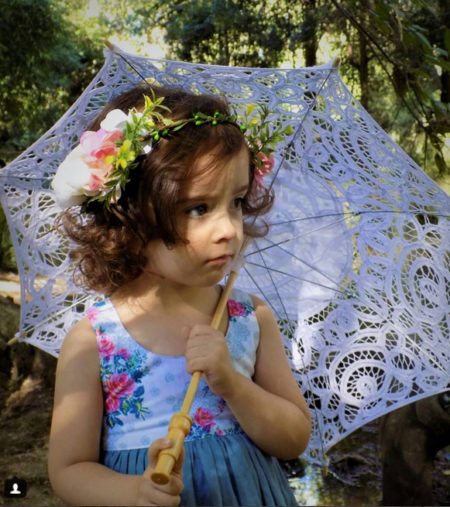
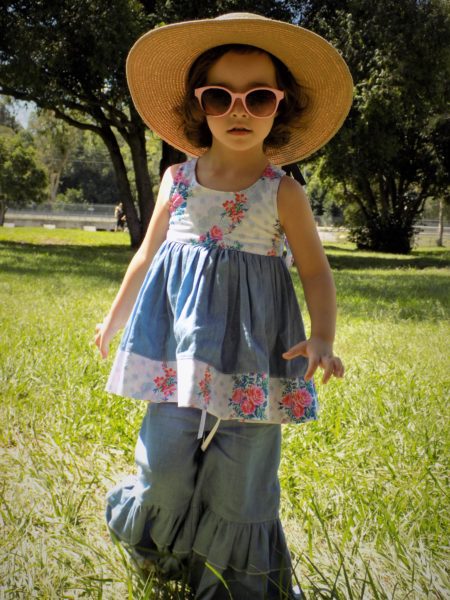
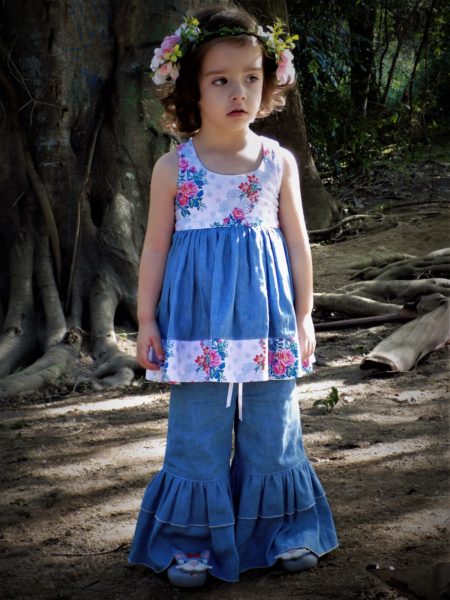
We have fans all over the world, but a large contingency is down under in Australia. It’s fun to see how our Aussie fans use our fabrics especially since they are in the southern hemisphere and thus in opposite seasons. Today, we are sharing a look from Amanda of dream.forgirls.handmade. The model, Bella, wears the sweetest outfit in Krysta from the Hotel Frederiksted Collection. Thanks Amanda and Bella’s mom Heidi for sharing. You can follow Bella over at isobellas.world. Don’t forget to share with us on Instagram and Facebook. We love seeing what you are up to!

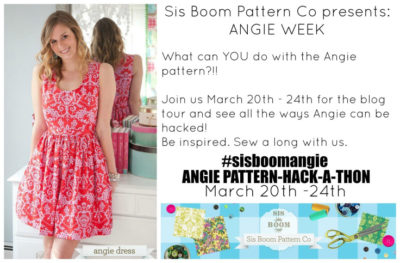
Our Sis Boom Angie Hack-A-Thon is over and it was a great week. We are rounding up the week in one post so you don’t miss any of these great ideas. Thanks to all our bloggers who participated! We love all your takes on our beloved Angie.
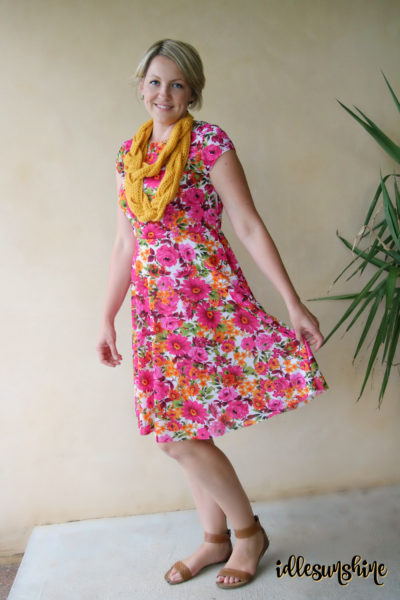
Idle Sunshine teaches you how to use knit for the Angie instead of the traditional woven.
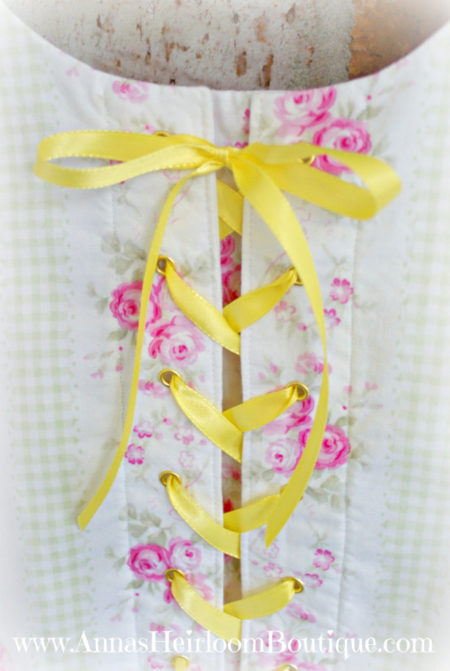
SONY DSC
Anna’s Heirloom Boutique teaches you how to do a faux corset!
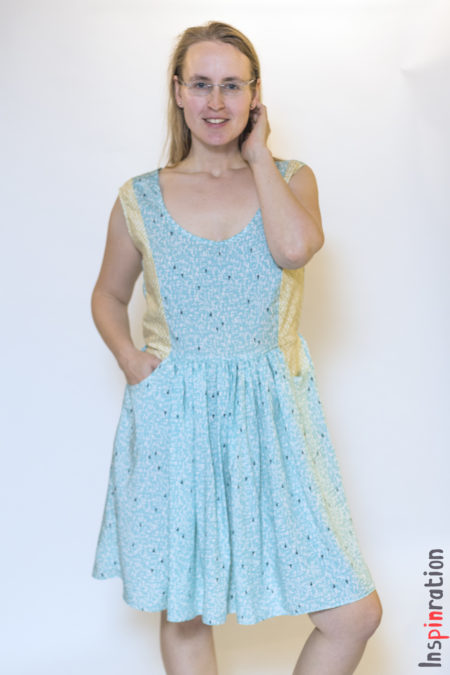
Inspinration shows you how to redraft the dart into a princess seam and add visible contrasting pockets.
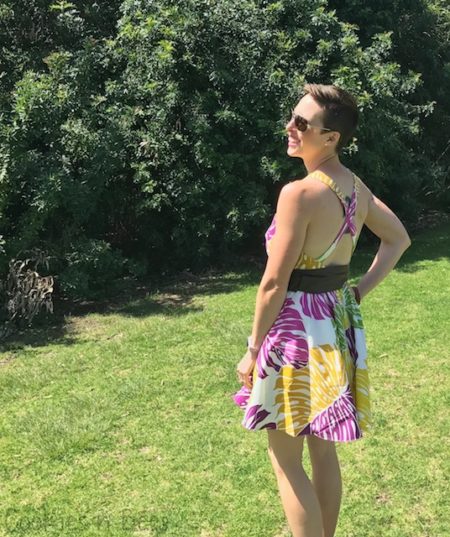
Cookies N Bees – gives the Angie an Hawaiian spin with a fun print, crisscross straps and an uber flattering circle skirt.
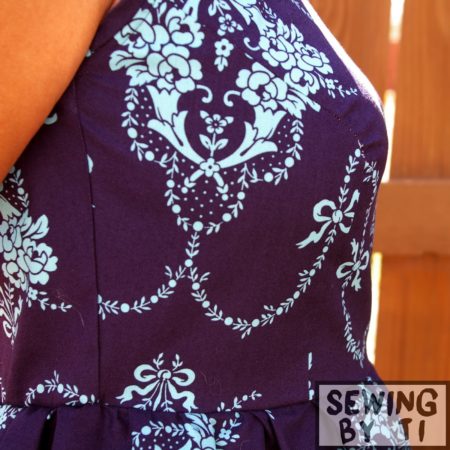
Sewing By Ti shows you how to add princess seams on the bust.
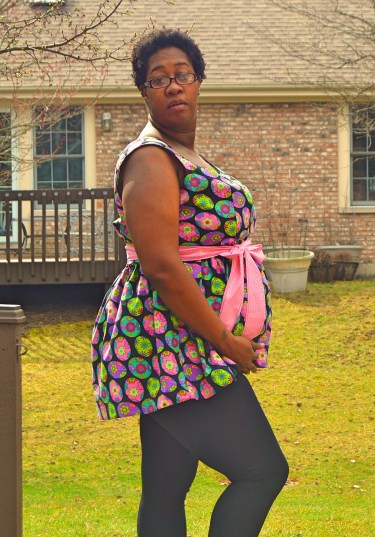
Adventures and Bubba and Bug turns our Angie into a lovely and comfortable maternity top.
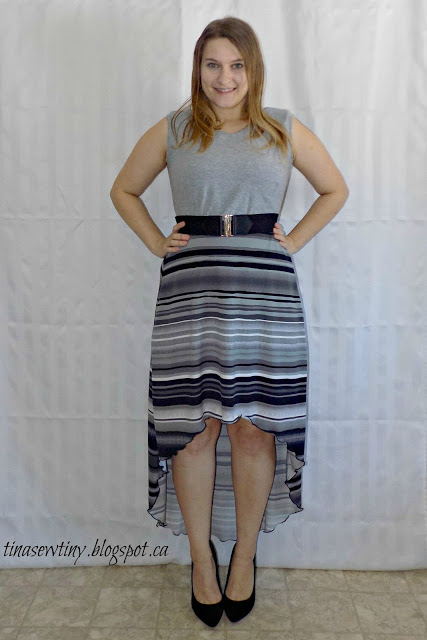
Tiny Sew Tiny shows you a playful and hip high low knit Angie.
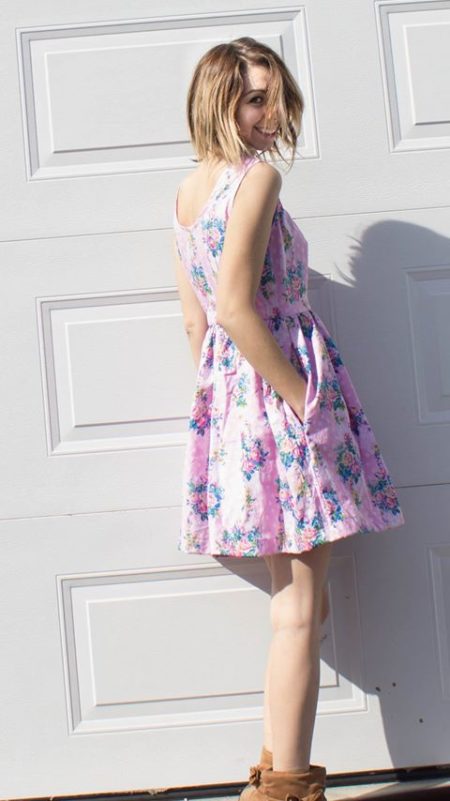
And last but not least, the Crafting Fiend teaches you how to lower the back neckline.
Hi everyone! Welcome to the first stop on the Sis Boom Patterns Angie Hack-A-Thon Tour! I am so excited to show you my version of the Angie, it’s definitely my new favourite dress.
You might remember in my recent post from the Just For Me January Tour that I am an Angie fan and that I planned to make one in knit fabric!
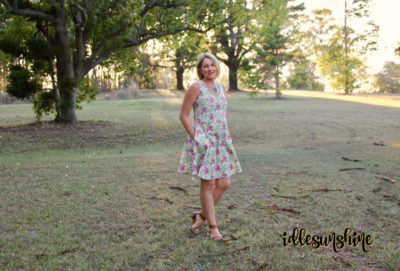
With most things in life, I like to do a bit of research and then just give it a go. Usually that works out fine… In this case I think I pretty much nailed it!
Let’s take a look at a picture from the original pattern to get a feel for the bones of the dress.
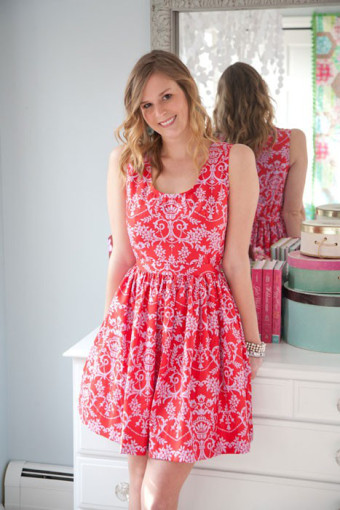
Here’s where the “Hack” comes into it. I decided to make a knit version instead of woven for my hack, partly because I love the drape and most definitely for the comfort and fit. I also decided to reverse the height of the necklines and make the front a high neckline and the back low. I used a quarter circle skirt instead of a gathered one and I added cap sleeves!
We love hearing positive reviews of our patterns. Alison and her company, Sew Bee It Clothier, has sewn a lot over her 35+ years as a sewist and she loved working with our Jamie pattern for a client. If you are new to sewing patterns, or love to chat about sewing in general don’t forget to join our Sis Boom Pattern Co Facebook page. Give Alison a follow on her social media pages. She has an Etsy Shop and makes lovely robes perfect for bridal parties, bags, and custom dresses and maternity gowns.
The Jamie
I recently had the chance to sew a new-to-me pattern from Sis Boom. I already owned several of the Sis Boom patterns so I was excited to stitch this one up for a dear friend. The bonus was I got to use some fabrics from Jennifer Paganelli’s latest collection, Hotel Frederiksted!
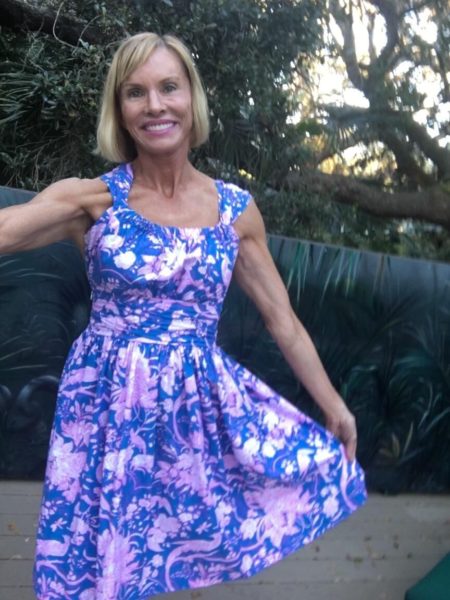
The pdf patterns that Sis Boom offer are second to none. I have years of experience working with other pdf patterns, some of which promptly ended up in the recycle bin! That was due to their poor printing layout, lack of clear, concise directions and just awful fit. The Jamie pdf pattern from Sis Boom was a pleasure to work with and didn’t disappoint! I could easily print THE ONLY SIZE I NEEDED. Included in the pattern is just how to measure for the proper length for the skirt. The Sis Boom patterns are what a pdf pattern should be. The Jamie had many clear color photos. Step by step directions with tips and tricks that even this sewist with 35+ years of experience made me say, “wow!”.
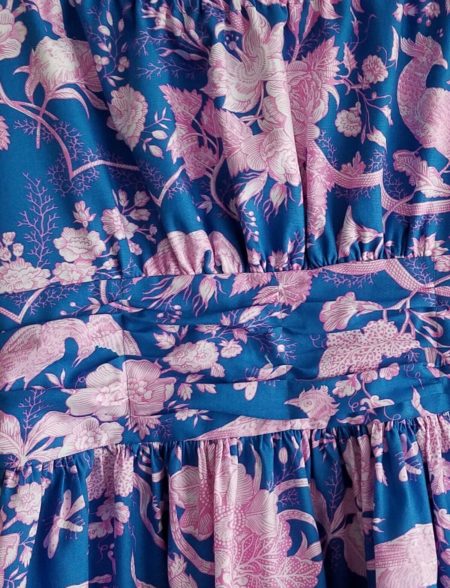
My model was very pleased with the end result. She loved the style of The Jamie and the fact that it was different with a personality all it’s own. (I offered to make her more even!) My model really liked the bright happy colors that the fabric line, Hotel Fred offers. This fabric makes you feel stylish and The Jamie is perfect for a flattering dress! I cannot wait to sew more of this pattern. Give The Jamie a try. You won’t be disappointed!

Alison J. O’Grady
Sew Bee It Clothier
www.sewbeeitclothier.etsy.com
www.facebook.com/SEWIST
Instagram- sewbeeitclothier
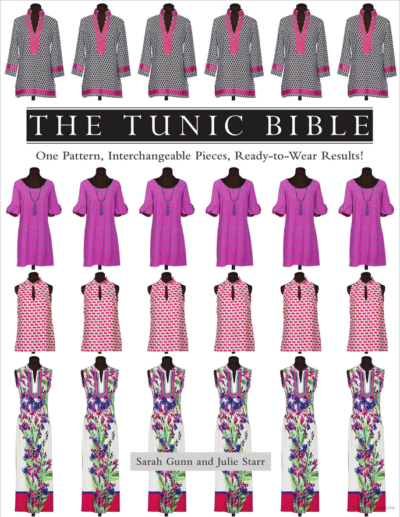
The Tunic Bible by Sarah Gunn and Julie Star is lovely book for all my sewist out there who love to sew for themselves. The tagline is “One Pattern, Interchangeable Pieces, Ready-to-Wear Results!” That’s right, these ladies show you to make tunics from one simple pattern in various lengths from tops to maxi dresses with interchangeable sleeve, neck plackets and collars. Best of all the pattern comes in sizes XS-XXL.
Sarah and Julie recently attended QuiltCon in Savannah last week to promote the book and wore 2 gorgeous tunic dresses made in Sophia fabric from the Hotel Frederiksted line. How gorgeous are these 2 ladies?

Here Sarah models a Ruffle Neck Maxi. Check out the close up shot to see those stunning ruffles along the neckline.

Julie made a shorter tunic dress and piped the sleeves and placket with Terrie from Hotel Frederiksted. The green is perfect for Spring!
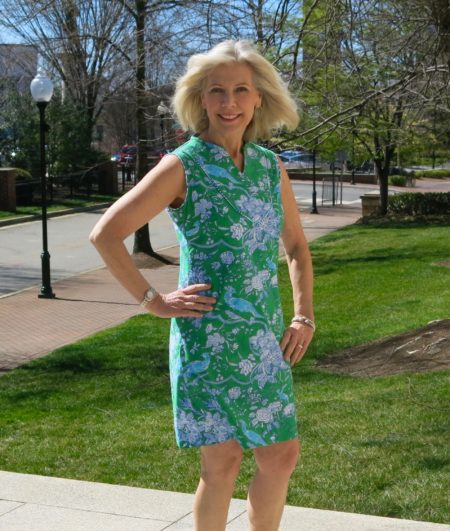

Grab the Tunic Bible and your favorite JP fabric today and share with us on social media what you make – Facebook and Instagram. We love seeing what you are up to!

copy the code below to
put the Sis Boom badge on your site

copy the code below to
put the Girls World badge on your site










- Archives -
- February 2018
- October 2017
- September 2017
- August 2017
- July 2017
- June 2017
- May 2017
- April 2017
- March 2017
- February 2017
- January 2017
- December 2016
- November 2016
- October 2016
- September 2016
- August 2016
- July 2016
- June 2016
- May 2016
- April 2016
- March 2016
- February 2016
- January 2016
- December 2015
- November 2015
- October 2015
- September 2015
- August 2015
- July 2015
- June 2015
- May 2015
- April 2015
- March 2015
- February 2015
- January 2015
- December 2014
- November 2014
- October 2014
- September 2014
- August 2014
- July 2014
- June 2014
- May 2014
- April 2014
- March 2014
- February 2014
- January 2014
- December 2013
- November 2013
- October 2013
- September 2013
- August 2013
- July 2013
- June 2013
- May 2013
- April 2013
- March 2013
- February 2013
- January 2013
- December 2012
- November 2012
- October 2012
- September 2012
- August 2012
- July 2012
- June 2012
- May 2012
- April 2012
- March 2012
- February 2012
- January 2012
- December 2011
- November 2011
- October 2011
- September 2011
- August 2011
- July 2011
- June 2011
- May 2011
- April 2011
- March 2011
- February 2011
- January 2011
- December 2010
- November 2010
- October 2010
- September 2010
- August 2010
- July 2010
- June 2010
- May 2010
- April 2010
- March 2010
- February 2010
- January 2010
- December 2009
- November 2009
- October 2009
- September 2009
- August 2009
- July 2009
- June 2009
- May 2009
- April 2009
- March 2009
- February 2009
- January 2009
- December 2008
- November 2008
- October 2008
- September 2008
- August 2008
- July 2008
- June 2008
- May 2008
- April 2008
- March 2008
- February 2008
- January 2008
- December 2007
- November 2007
- October 2007
- September 2007
- August 2007
- July 2007
- June 2007
- May 2007
- April 2007
- March 2007
- February 2007
- January 2007
- December 2006
- November 2006
- October 2006
- September 2006